
Your teacher, today's world, one shared page.
CAE-Live is the classroom behind our online English lessons. You and your teacher meet on a video call, open the same material and get to work: you listen, you read, you speak, you say what you think. Every question, correction and recording stays exactly where you need it.
Send the times that suit you. When one works, we arrange your free introductory conversation by email, in English, Portuguese or both.
There is a real teacher in every lesson.
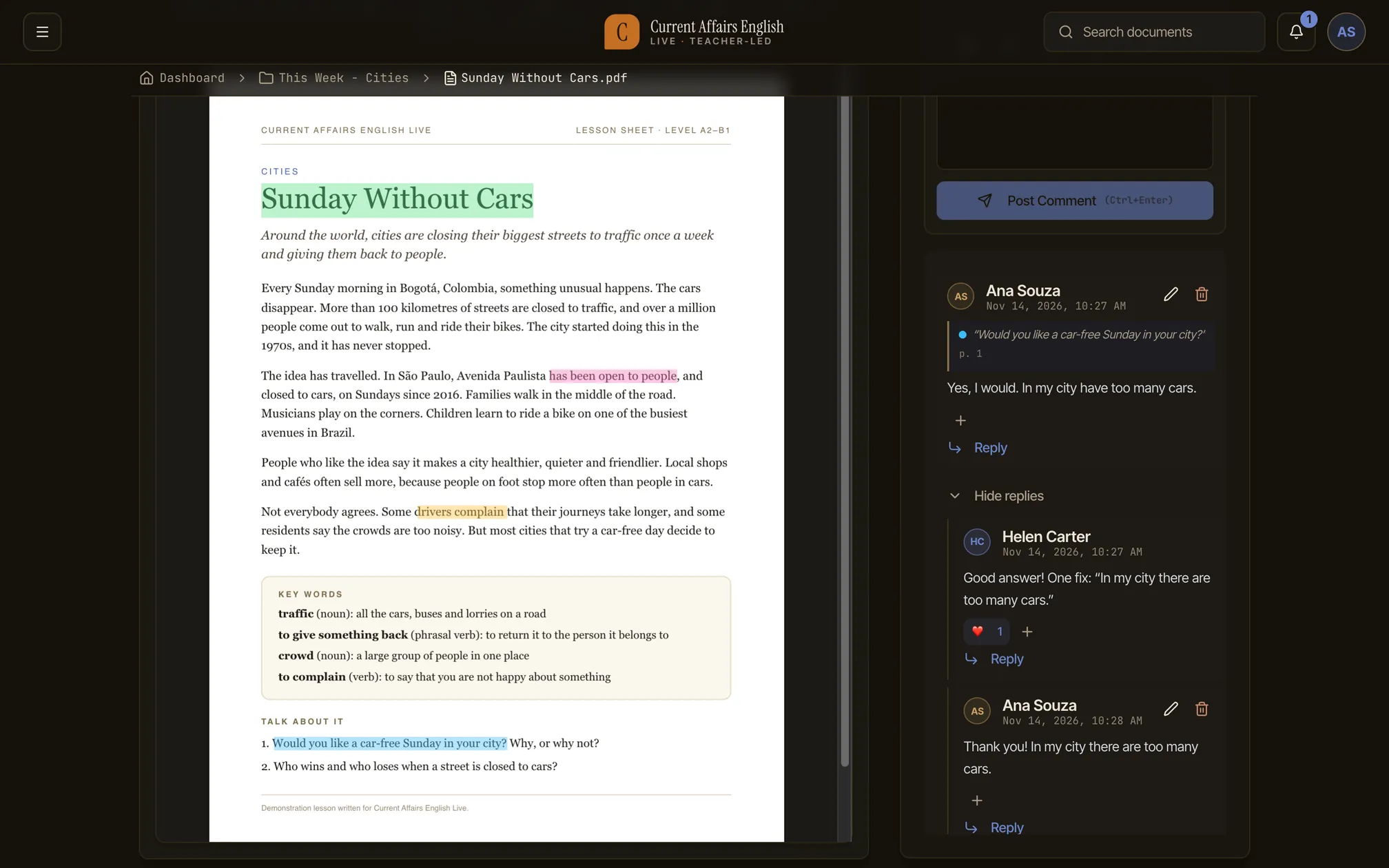
Every lesson is a live video call on Google Meet. Your teacher talks with you, listens to you and guides you through the class as you go. CAE-Live is the desk you share while you talk: the pictures below are what the two of you see during the call.
- Live on Google Meet: a real conversation, not a recorded course
- One-to-one, for one hour, at a time that suits you
- More than 20 years of teaching Brazilian learners
One lesson, step by step.
- 01
The day's lesson is waiting for you
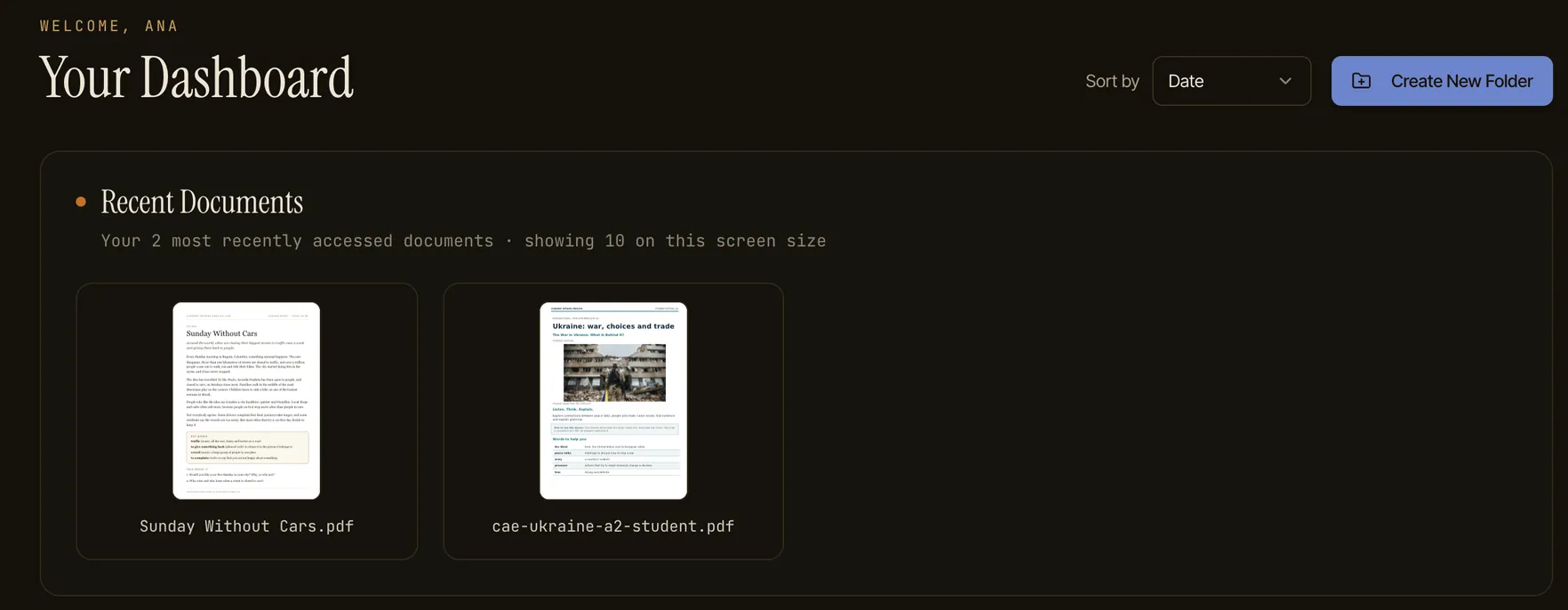
Before you meet, your teacher puts the lesson in your own folder: a real story from the world today, written for your level. Audio first: you listen, then check the words later. There is no textbook and nothing to print. Open it on your computer or your phone.
- 02
You both open the same page
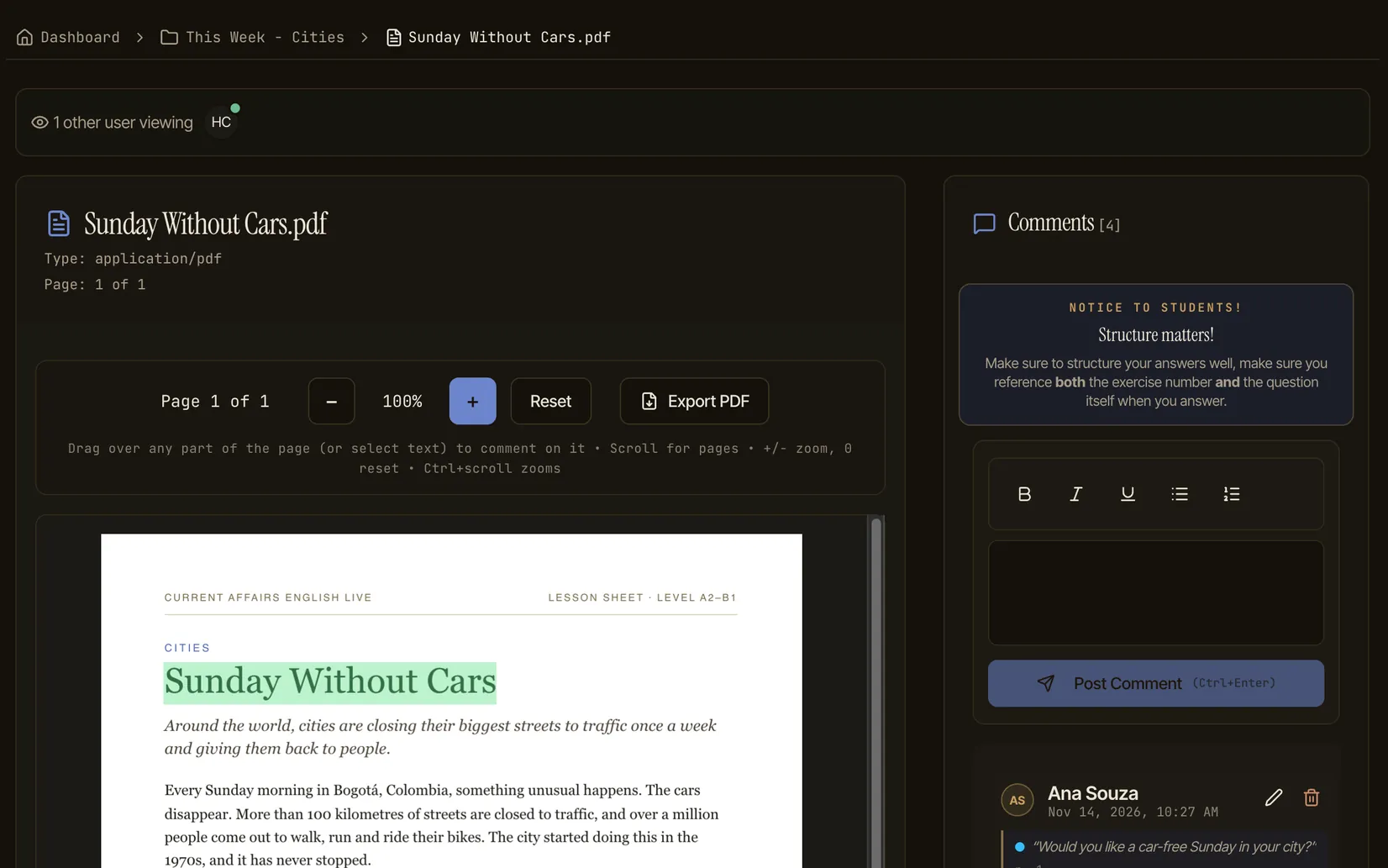
During the call, you and your teacher look at the same document at the same time. You can see that your teacher is there with you, so nobody is lost on a different page.
- 03
Mark exactly the words you mean
Select a word or a sentence, or draw a box around part of the page, and choose a colour. No more “the third line of the second paragraph”: you both see the highlight at once.
- 04
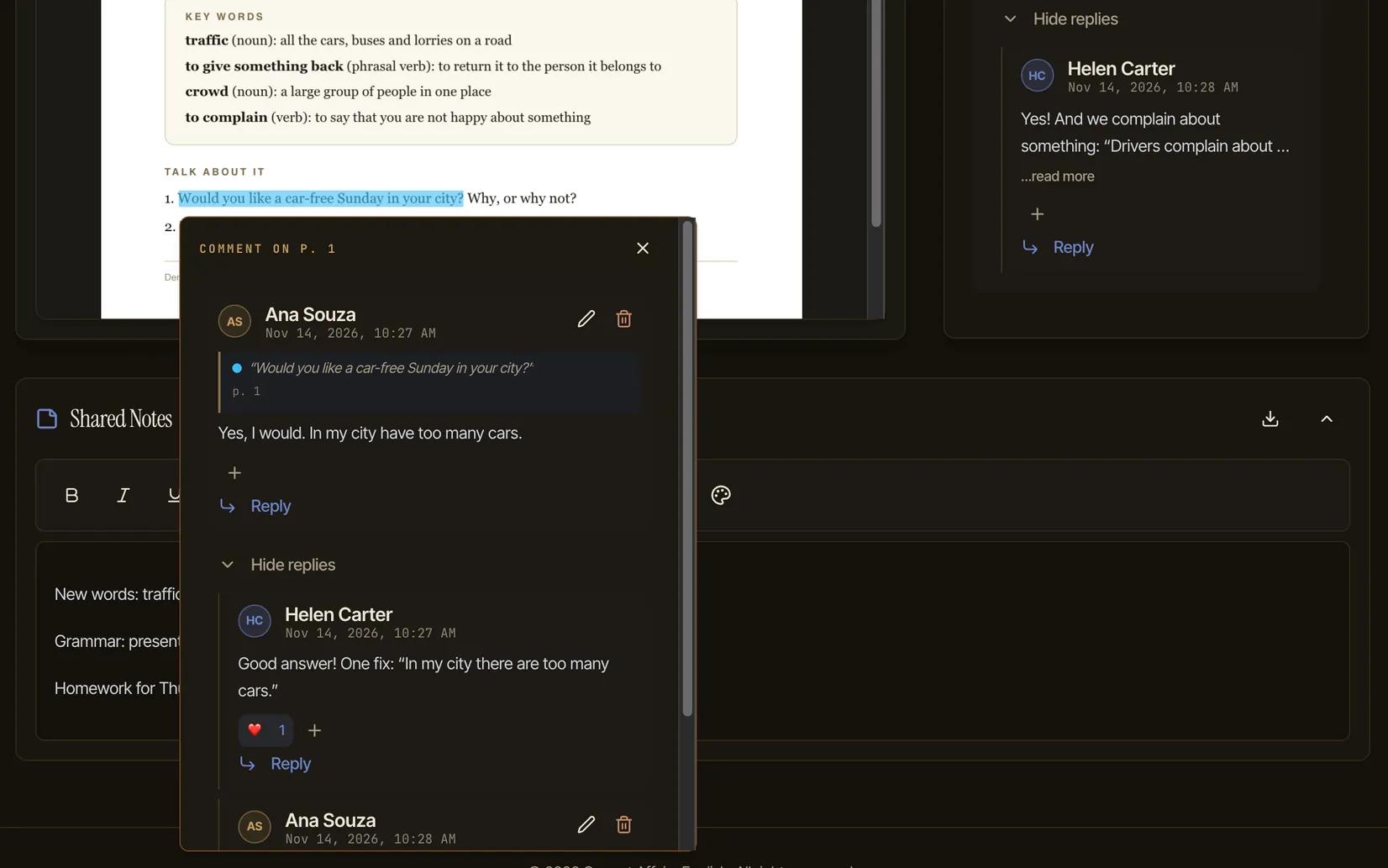
Feedback sits right beside the words
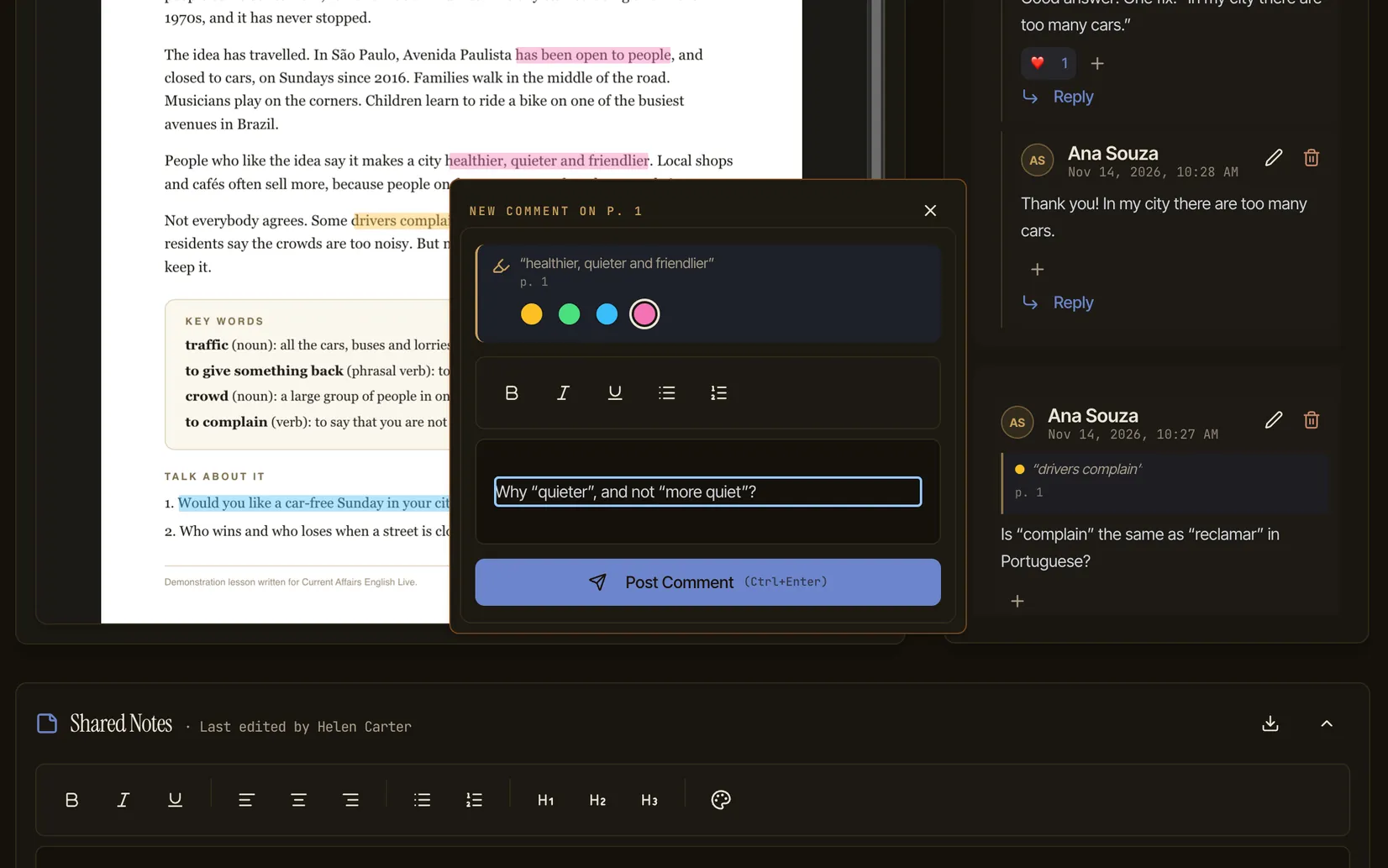
Click a highlight and the conversation opens next to it: your sentence, your teacher's correction, your reply. Every comment stays attached to the words it is about.
- 05
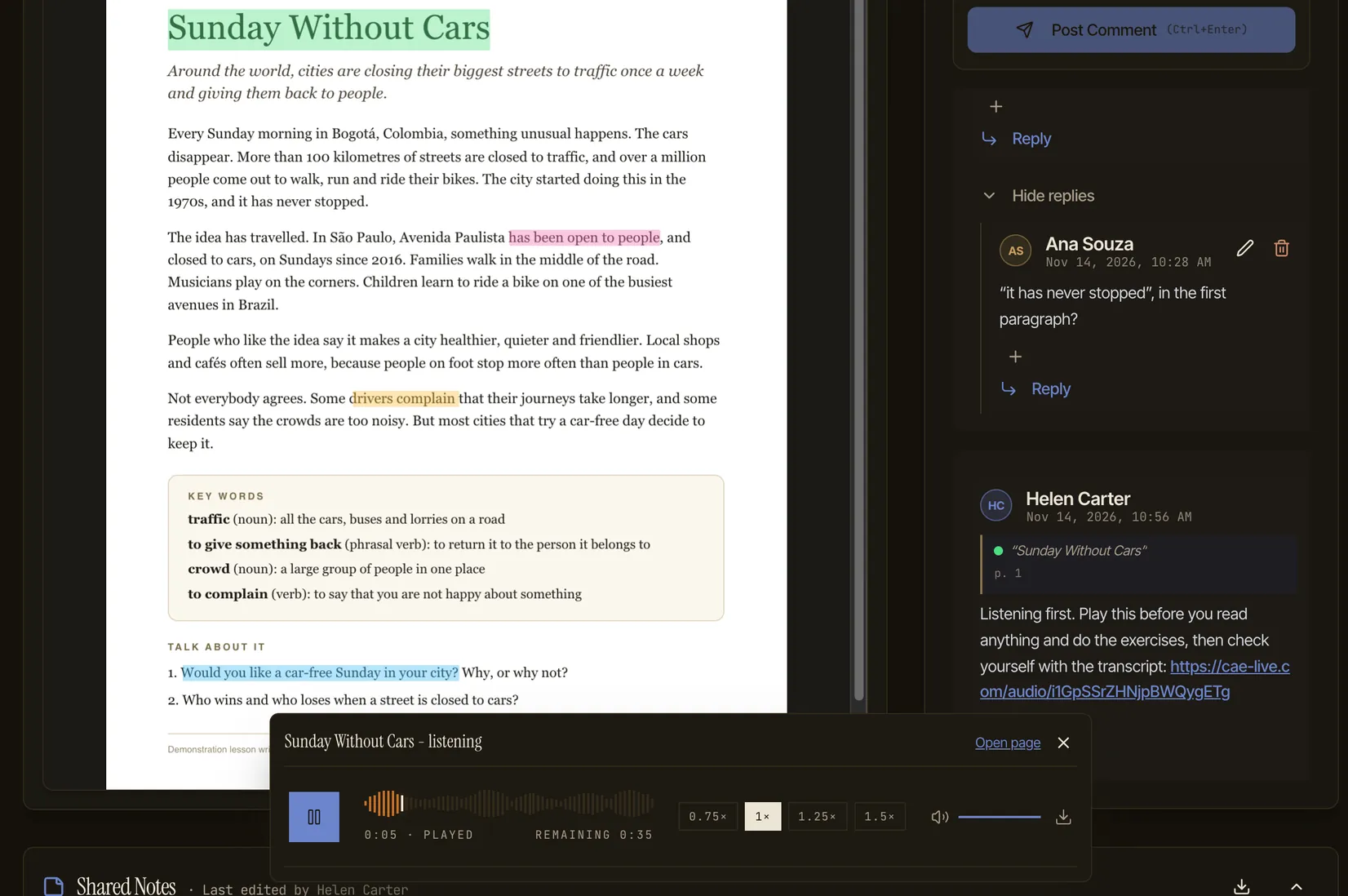
Listen first, check later
Your teacher adds the recording to the conversation. Click the link and the player opens at the bottom of the page. Listen, work out what you hear and do the exercises. Slow it down, speed it up, listen again. Only then do you check yourself against the transcript, further on in the lesson.
- 06
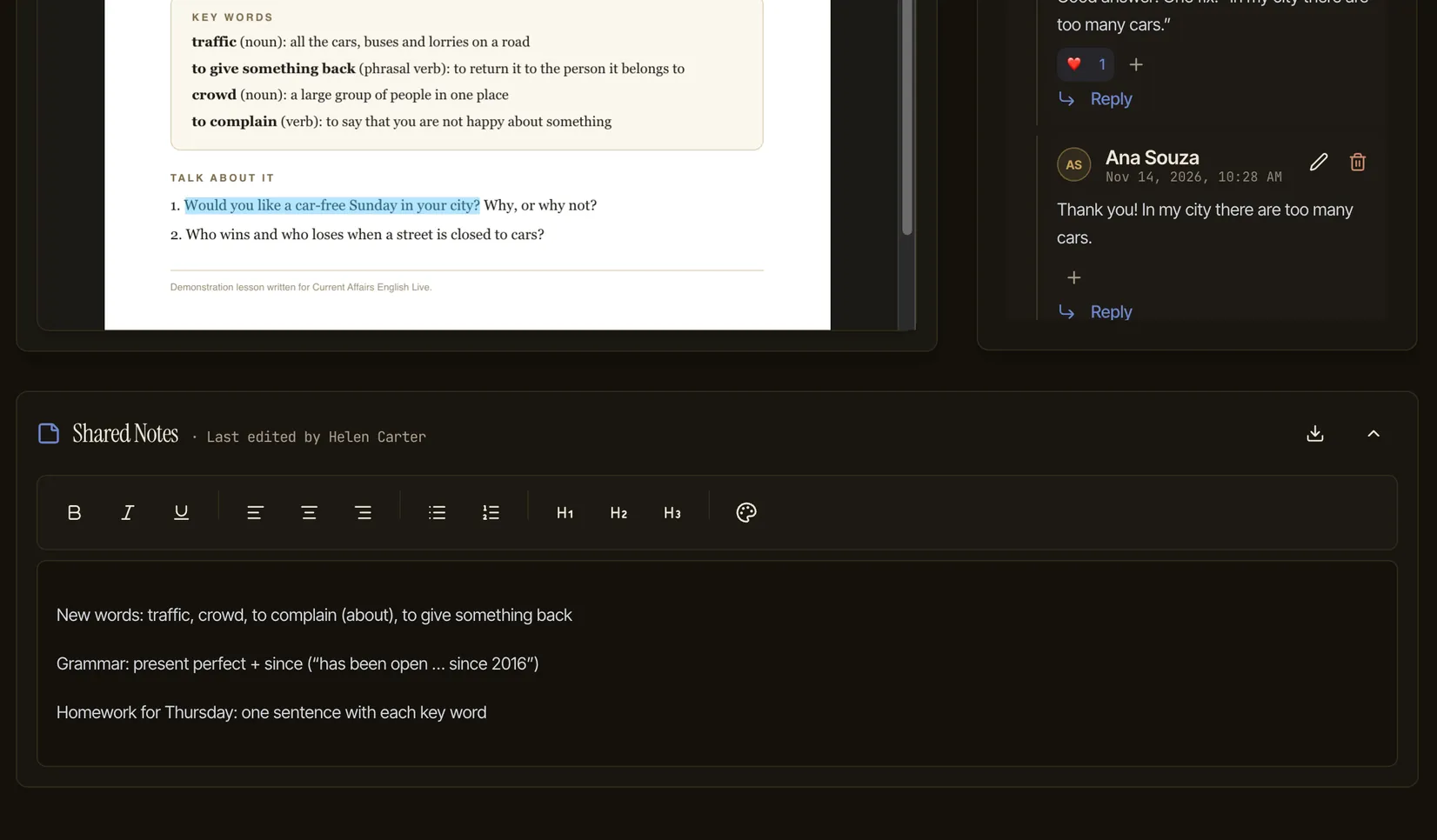
One set of notes, shared
New vocabulary, corrections and homework go into the notes you share with your teacher. They are kept with the text they belong to, not in a notebook you will lose.
Nothing disappears when the call ends.
The lesson, every highlight, every comment, every recording and your notes stay in your folder. Read them again on the bus, listen again before the next lesson, and carry on from where you stopped.
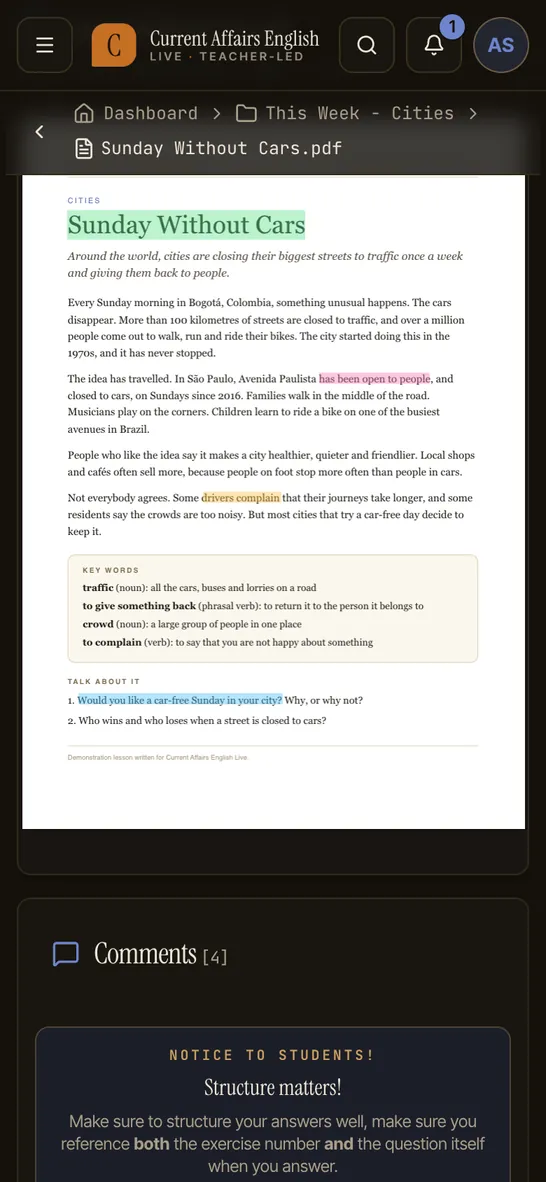
- Works on your phone, tablet or computer
- Add it to your home screen like an app
- Your folder is private to you and your teachers
Find your voice here, then hold your own.
With a live teacher, CAE-Live takes you from elementary to intermediate: you learn to listen, speak and say what you think.
Your CAE-Live classes include the Student plan on Current Affairs English. Try a story on your own whenever you like. You and your teacher can decide together when and how to make this part of your routine.
Ready to try a lesson?
Send the times that suit you. When one works, we arrange your free introductory conversation by email.